

From catalog booking to dispatch. Nothing slips through.
MobiOffice connects your customer order to purchase, job work, and dispatch — so every order is tracked from booking to delivery in one system.

Every customer order. One system.
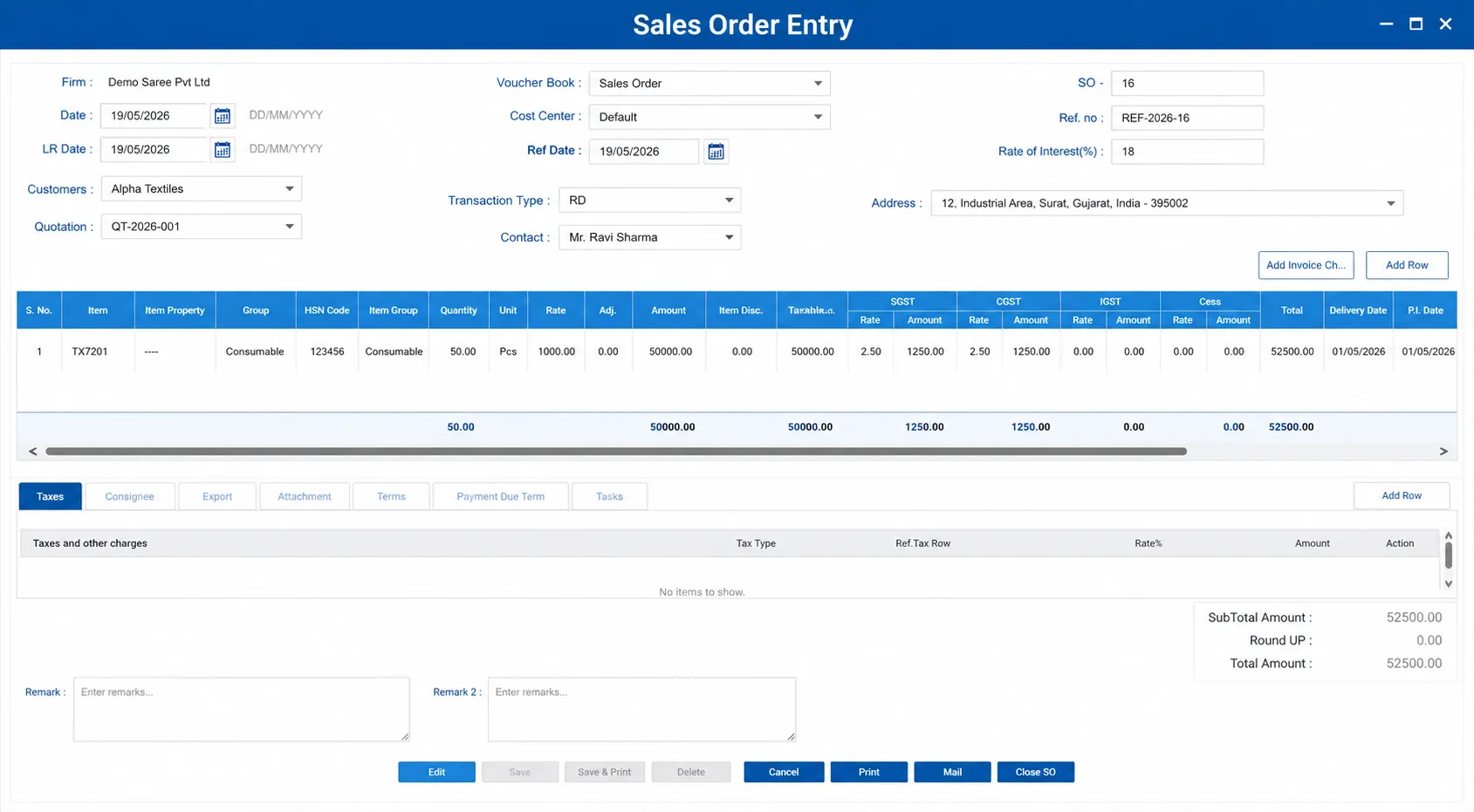
Book customer orders with catalog name, design, color, quantity, and delivery date. Orders are the starting point for the entire trading workflow — purchase, job work, and dispatch are all driven from the sales order.
- Order booking with catalog, design, quantity, and delivery date
- Multi-item orders for customers placing bulk catalog orders
- Order-wise status — pending procurement, at mill, ready for dispatch
Your catalog range. Defined once.
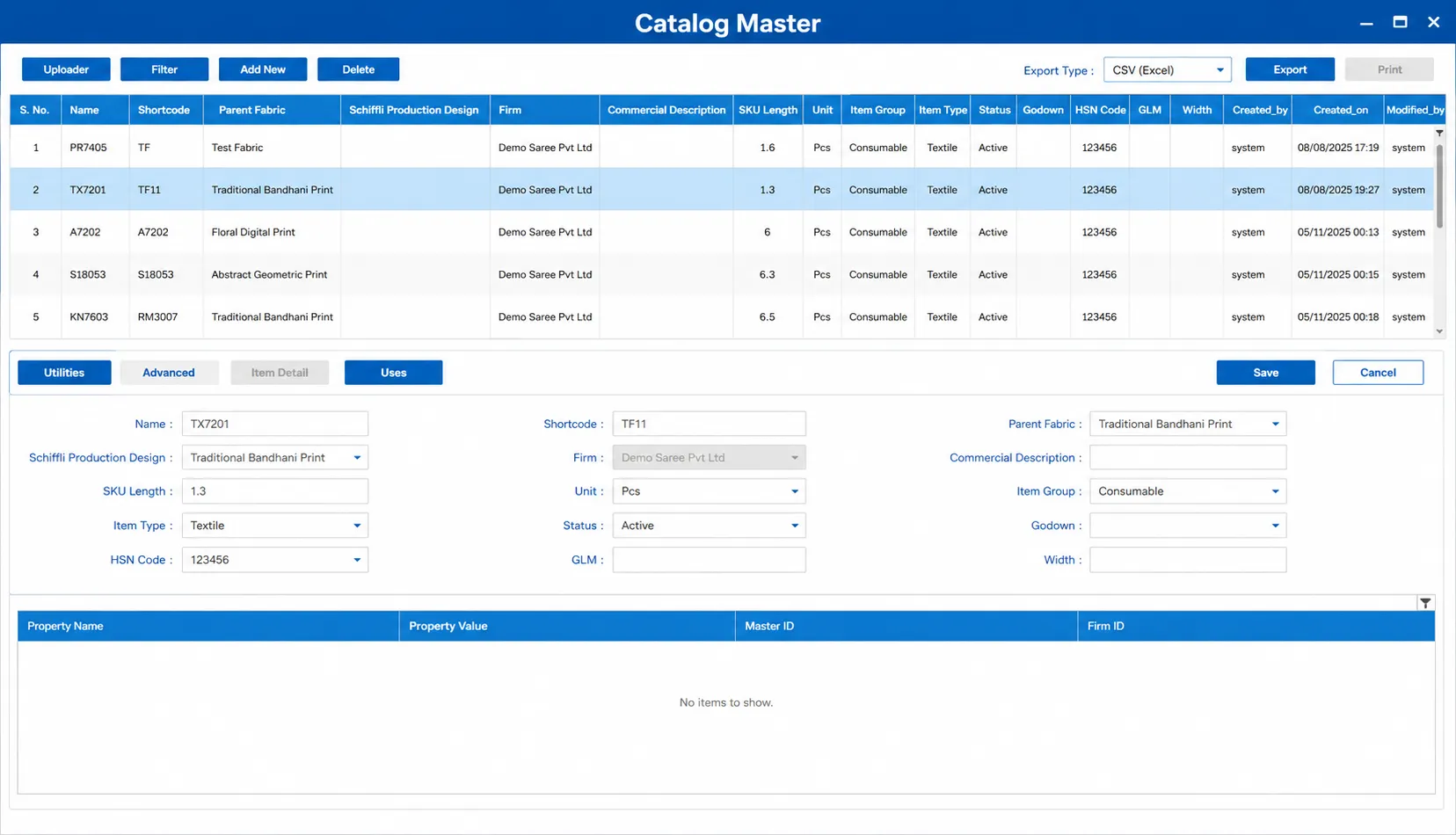
Define your catalog master with design codes, fabric type, color options, and standard rates. New orders are booked from the catalog — consistent naming, no free-text errors.
- Catalog master with design codes and color variants
- Standard rate and fabric specifications per design
- Catalog-wise sales history reporting
Customer and vendor records. All in one place.
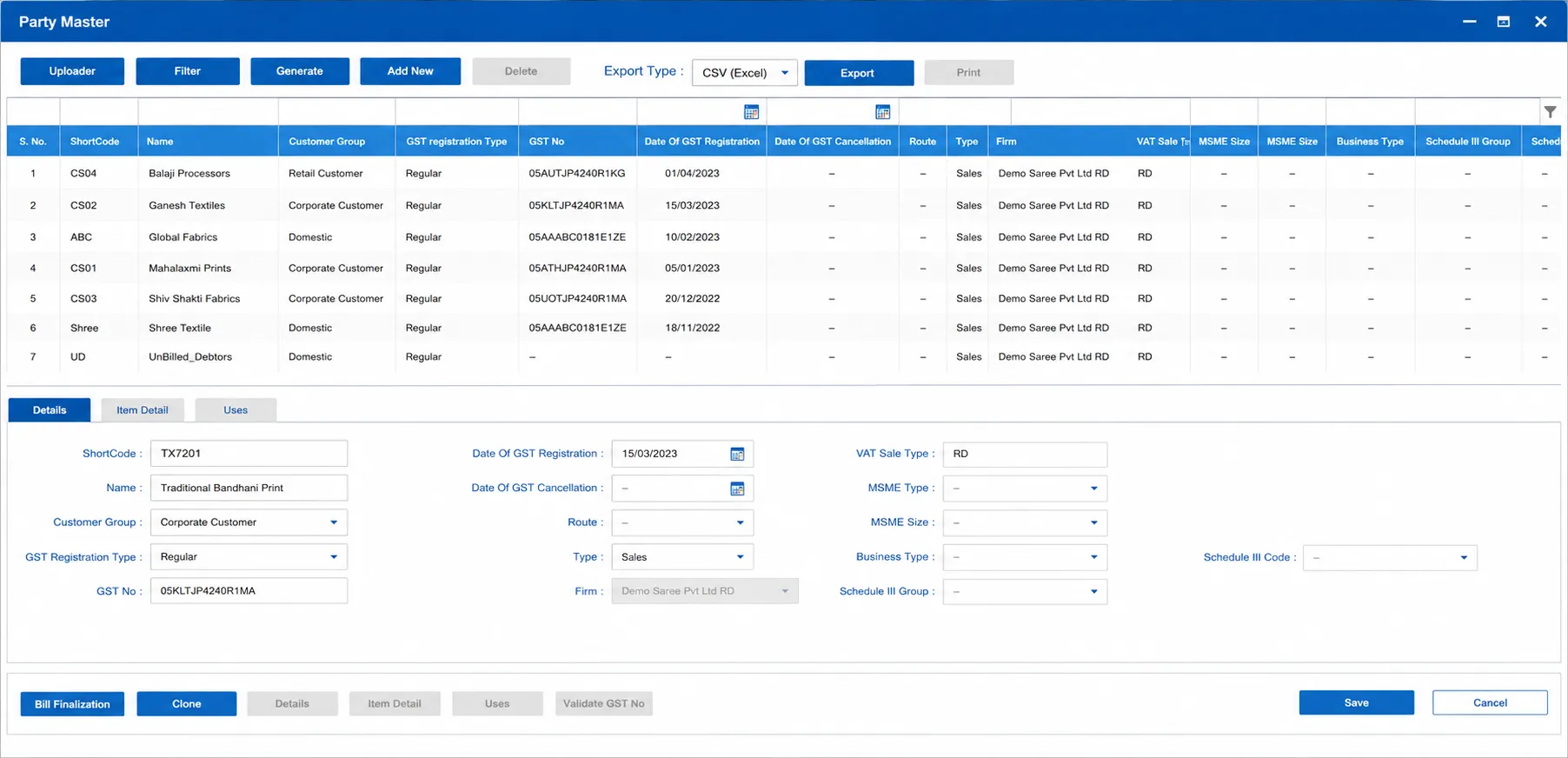
Manage customer and vendor records with contact details, credit terms, and GST information. Party-wise order history and outstanding is always current — no separate ledger or Excel needed.
- Customer and vendor master with GST and contact details
- Party-wise outstanding with invoice-level detail
- Credit limit tracking and overdue alerts
No more calling to check order status.
See where every order stands at any moment — whether material is being procured, is at the mill for processing, is received back, or is packed and ready for dispatch. One screen. No phone calls.
- Order-wise status — open orders with delivery date, dispatched quantity, and pending balance per item
- Overdue order alerts — orders past expected delivery date
- Partial fulfillment tracking — dispatched vs. pending quantity
Four things that change from day one
Customer catalog orders booked in the system — no paper register, no missed orders
Order status visible at any point — pending, in process at mill, or dispatched
Party-wise order history and outstanding balances — no separate ledger needed
Catalog-wise demand tracked against purchase and stock — no over-buying or shortfall
Want to see order management running for your catalogs?
Tell us your catalog types and order volume on WhatsApp. We'll show you what it looks like for your unit.