

Dispatch. Invoice. Collect. All from one system.
MobiOffice generates tax invoices from dispatch entries, tracks outstanding party-wise, and manages e-way bills — without juggling Tally, Excel, and paper dispatch books.
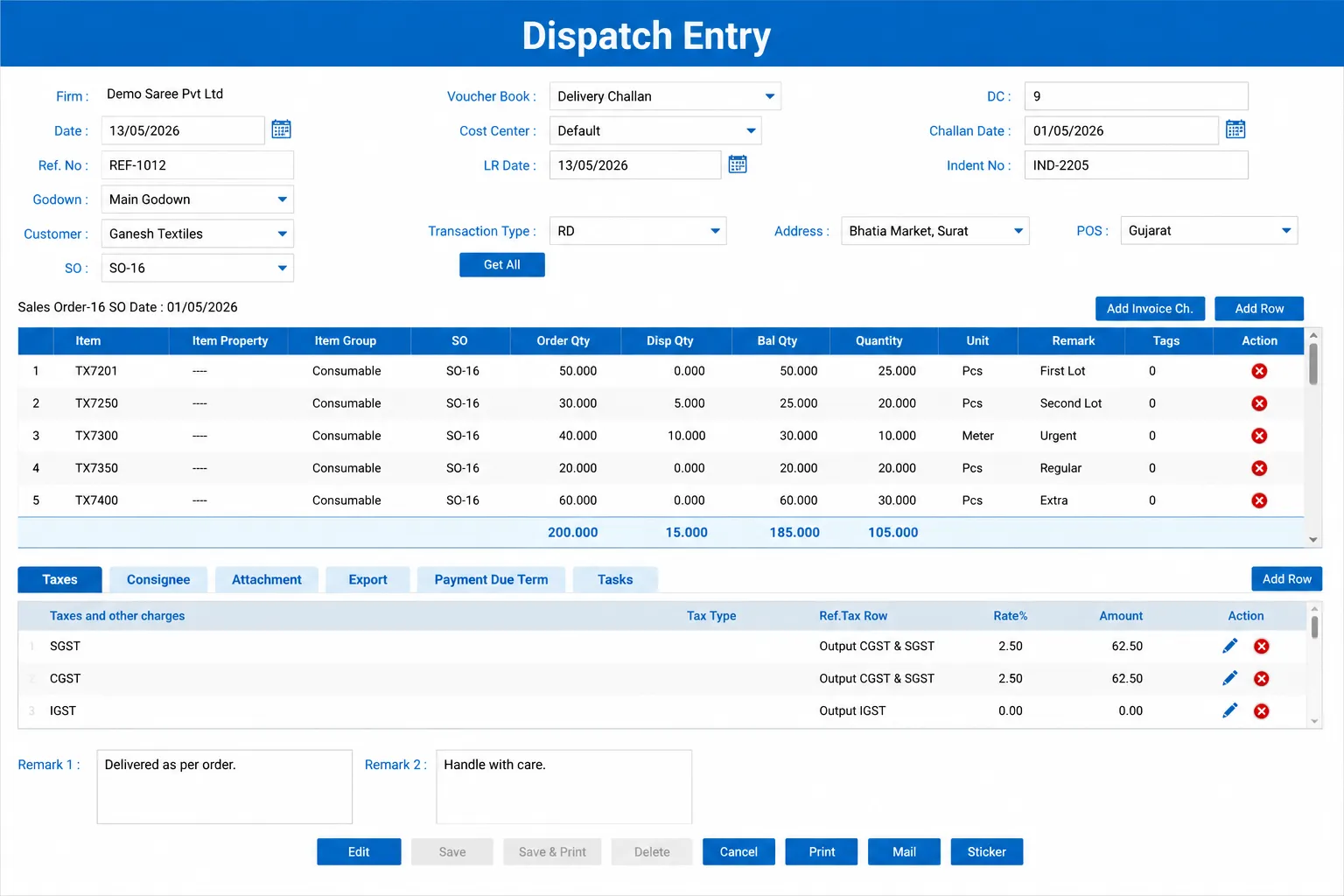

Finished goods dispatched. Linked to the order.
Create dispatch entries from the sales order — only quantities that are ordered and available can be dispatched. Partial dispatches are supported, and the remaining pending quantity stays tracked against the original order.
- Dispatch entry drawn from sales order — no free-entry dispatch
- Partial dispatch supported — pending balance tracked on the order
- Multiple dispatch entries per order for staggered deliveries
GST invoice. Generated in one click.
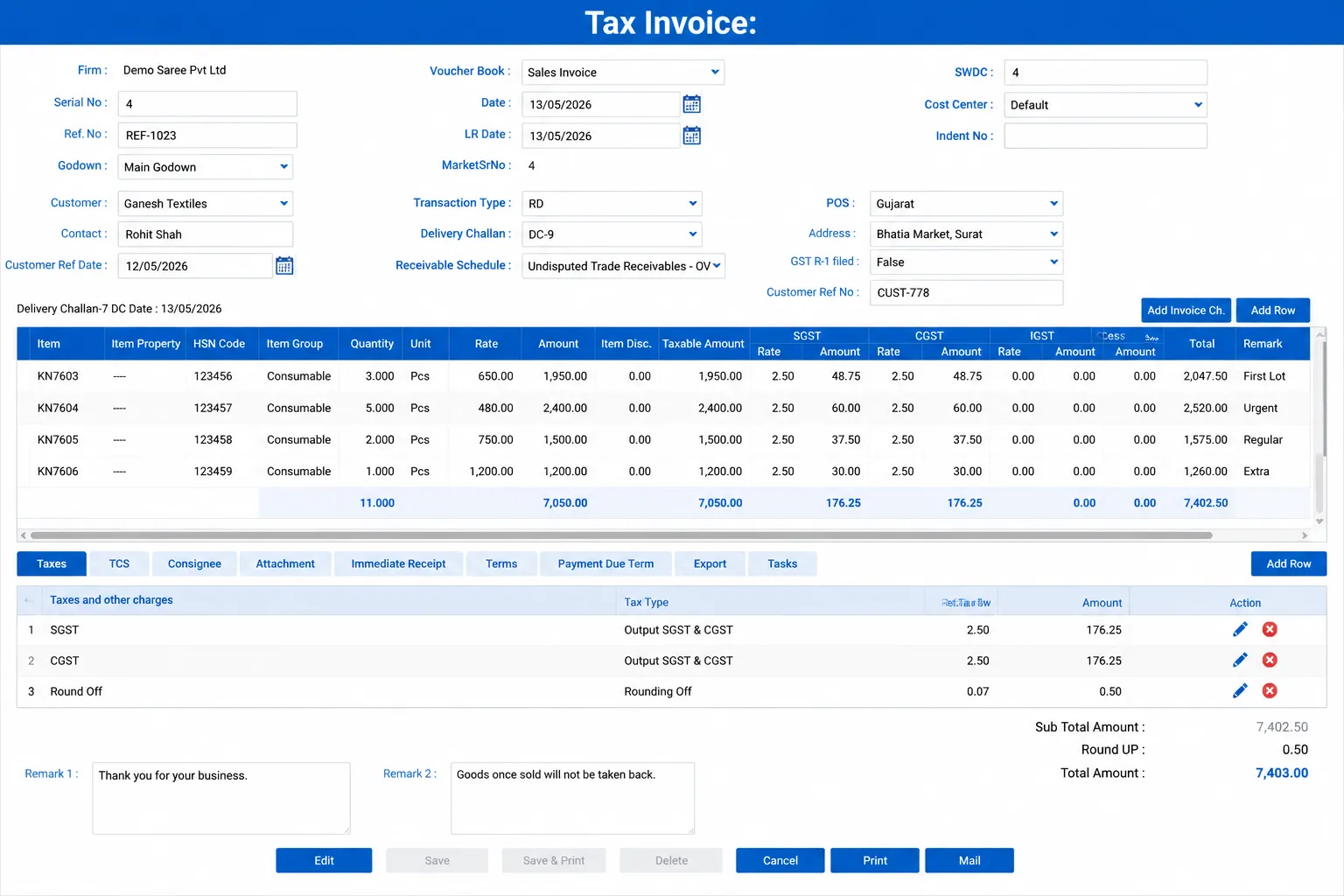
Tax invoice is generated directly from the dispatch entry with correct HSN codes, GST rates, and party details. Invoice numbering is sequential and automatic. No manual typing, no calculation errors.
- Tax invoice auto-calculated from delivery challan — rate, quantity, and GST pulled from dispatch
- Sequential invoice numbering — no gaps, no duplicates
- Print, mail, or send invoice on WhatsApp directly from the screen
Transport compliance. Built in.
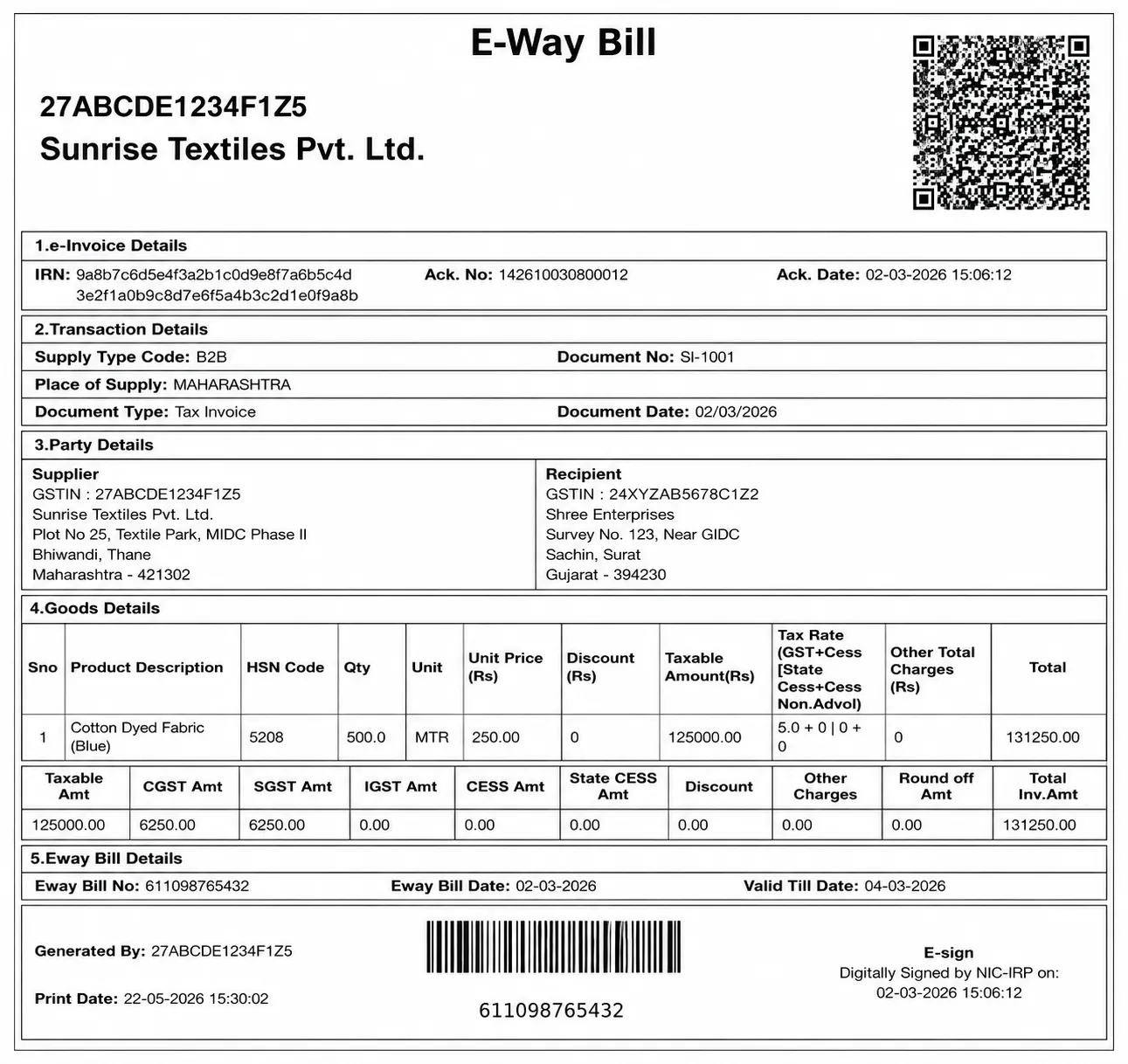
Capture transporter and vehicle details at dispatch. E-way bill data is ready at the time of invoice generation — no separate data entry for compliance.
- E-way bill generated with supplier, recipient, and goods details from the invoice
- HSN code, taxable value, and tax breakup auto-populated — no re-entry needed
- EWB number, generation date, and validity period shown on the generated document
Outstanding. Party-wise. Always current.
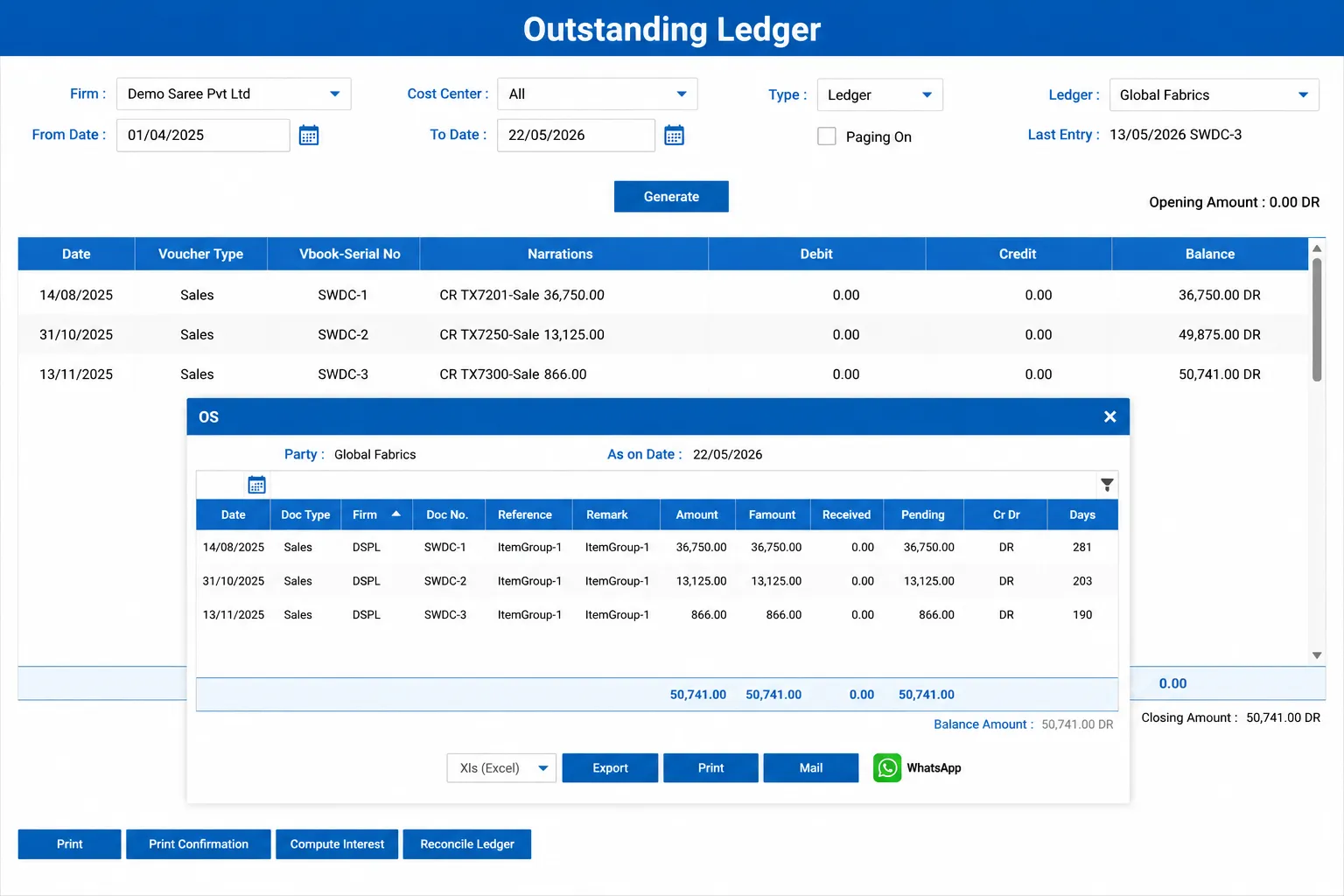
Receipt entries update the party ledger instantly when payment is received. Outstanding invoices are always visible with aging — 0–30, 30–60, 60+ days — so your accounts team and owner see the same picture.
- Party-wise ledger with invoice-level debit, credit, and running balance
- Outstanding statement with pending amount and days overdue per invoice
- Send outstanding statement on WhatsApp directly from the ledger screen
Returns handled cleanly.
When a customer returns goods, a credit note is raised against the original invoice. Stock is updated on receipt of returns. The return is linked to the original dispatch — no confusion about which invoice it relates to.
- Credit note linked to original tax invoice with item and quantity details
- Transport details captured for return shipment — address and LR number recorded
- E-invoice filed against credit note for complete GST compliance
Four things that change from day one
Dispatch entries drawn from sales orders — only ordered items dispatched, no over-dispatch possible
Tax invoice generated automatically from dispatch entry — no manual invoice typing
Party-wise outstanding updated instantly when invoice is posted — no end-of-day reconciliation
E-way bill details captured at dispatch — no scrambling for transport document
Want to see dispatch and billing running for your unit?
Tell us your average daily dispatch count and invoicing volume on WhatsApp. We'll show you what the flow looks like.